Custom Config deployment - RMS Platform

Custom Config deployment - RMS Platform

RMS has the ability to allow you to create custom configurations from the platform and deploy them directly to devices.

To begin to setup a devices configuration find the device in the management page and hit the cog.


Once Selected there will be a large selection of settings you are able to configure on the device, We suggest using the search functions to find exactly what you are looking for.
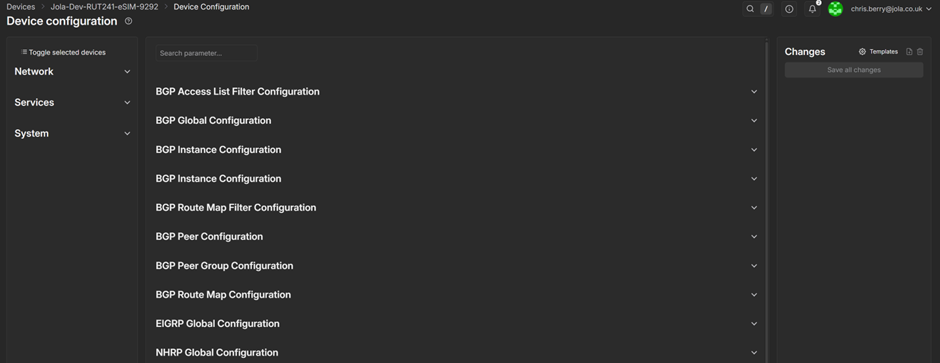
As an example we have setup a custom SSID to be configured on a device and we will deploy using tags.

Once you have setup the configuration to your specifications you are able to click the save option to save this configuration.


Once this has been saved you then deploy this to devices by selection the “Template” option


Hit the apply configuration button and this will be then be pushed to the device.

You can also do this via tags by selecting the tag and adding the “Apply Device Configuration” action.
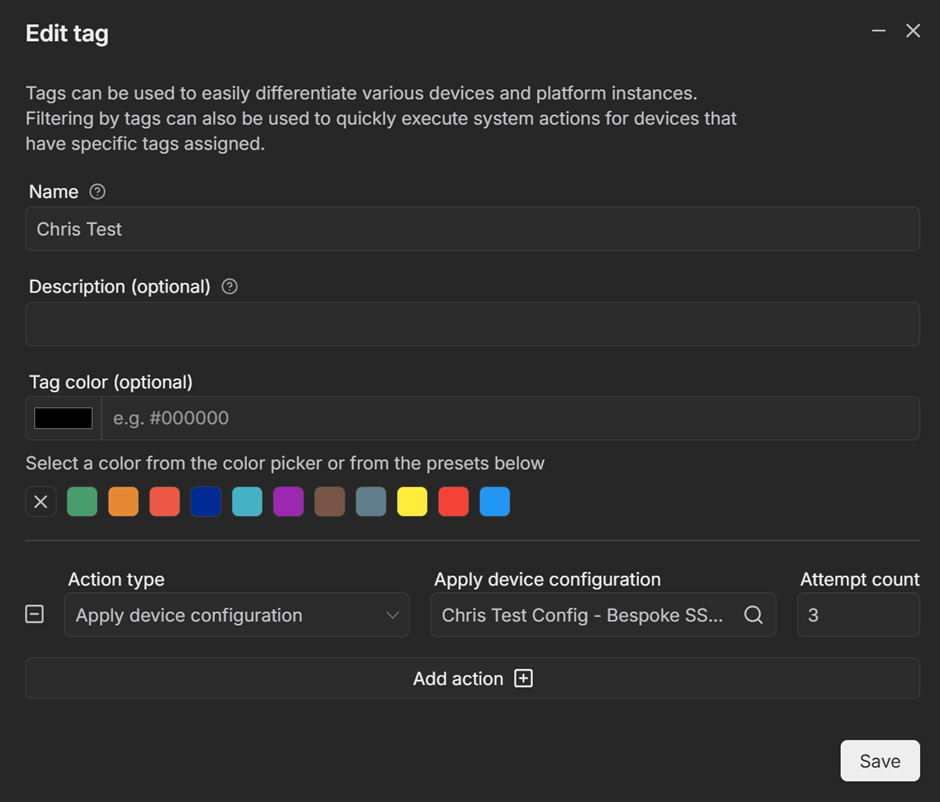

Once this has been setup any device with the “Chris Test” tag will pull down the custom configuration.

    • Related Articles

    • Adding Devices - RMS Platform

      To add a device into RMS you will simply need to go into Management > Devices. Select Actions > Add Device You will then be greeted with the following page which will ask you which device you are wanting to import, you will require the following ...
    • Adding Tags - RMS Platform

      Tags are a versatile tool within RMS which allows you to not only setup unique modifiers for referencing devices, they will also allow to deploy automation through the tags. To Create a Tag within RMS you will need to select Administration > Tags > ...
    • Access Devices Remotely - RMS Platform

      Accessing a device from RMS is very straightforward, simply find the device that you wish to access and select the DeviceWebUI Link If the devices is reachable you will see a tick and be able to either connect directly or generate a shareable URL ...
    • Smart Roaming Automation - RMS Platform

      Using RMS Automation resellers are able to setup rules that will act similar to Smart Roaming which allow devices to reset the onboard modem once a specific low signal threshold has been met. Firstly you will need to create a task within RMS. 1) ...
    • Creating Custom Alerts

      See the below guide on how to configure Custom Alerts against sims on Mobile Manager